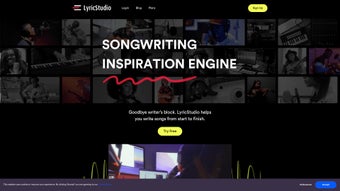

Why Lyric Studio Is a Must‑Have for Modern Songwriters
In today’s fast‑paced music landscape, the ability to turn a fleeting spark of inspiration into a fully‑fledged lyric in minutes can be the difference between a hit single and a missed opportunity. Lyric Studio answers that demand by delivering an AI‑powered songwriting companion that blends creative suggestion, genre‑aware styling, and collaborative tools into a single, secure platform. Whether you’re a seasoned composer working on a chart‑topping pop anthem, an indie artist crafting intimate acoustic verses, or a hobbyist exploring rap flows for the first time, the software adapts to your workflow and helps you bypass the dreaded writer’s block.
The cloud‑based architecture guarantees that every idea is safely stored and instantly accessible from a Windows PC, a macOS laptop, an Android tablet, or an iPhone, making it possible to write on the go without losing momentum. Moreover, the platform respects your intellectual property; all generated lyrics remain 100 % yours, free from hidden licensing clauses. By integrating a robust rhyme engine, style‑learning algorithms, and real‑time co‑authoring, Lyric Studio not only speeds up the creative process but also raises the quality of the output.
In the sections that follow, we’ll explore the core capabilities, walk through the installation and daily usage, weigh the strengths against the limitations, and answer the most common questions that potential users ask. By the end of this review, you’ll have a clear picture of whether Lylink Studio deserves a spot in your music‑making toolbox.
Overview and Core Features of Lyric Studio
Lyric Studio is an AI‑driven songwriting assistant designed to transform vague concepts into complete lyric structures. The engine works by analysing the seed input you provide—be it a single word, a mood descriptor, or a short phrase—and then generating multiple lyric drafts that reflect your preferred genre and personal style. The platform continuously learns from each interaction, fine‑tuning its suggestions to match your unique voice over time. Because it operates in the cloud, you can access your projects from any device, and all drafts are encrypted both in transit and at rest, ensuring privacy and data security. Below is a detailed look at the feature set that makes the tool stand out.
- AI‑Powered Idea Generator: Instantly produces lyric snippets based on a theme, mood, or keyword.
- Adaptive Style Engine: Learns your tonal preferences, genre choices, and lyrical quirks to deliver more relevant suggestions.
- Real‑Time Collaboration: Share a live editing link with co‑writers; edits appear instantly for all participants.
- Advanced Rhyme Finder: Offers perfect, slant, and internal rhyme options without leaving the editor.
- Structural Guidance: Suggests verse‑to‑chorus transitions, bridge ideas, and song form recommendations.
- Multiple Export Formats: Save lyrics as plain text, richly formatted PDF, or push directly to DAWs via plug‑ins.
- Full Rights Retention: Users retain 100 % ownership of all generated content.
- Secure Cloud Storage: Encrypted drafts sync across devices and are accessible from any browser.
- Monthly Model Updates: New language models and genre packs keep the AI fresh and culturally relevant.
- Multilingual Support: Write in English, Spanish, French, German, and several other languages, each with its own rhyme database.
The combination of these capabilities means you can move from a single line of inspiration to a full‑song draft in a matter of minutes, while still maintaining creative control and full legal ownership. The intuitive UI keeps the learning curve low, yet the depth of the AI ensures that even experienced lyricists find fresh angles and unexpected wordplay.
Installation, Setup, and Daily Usage Workflow
Lyric Studio offers both a responsive web app and native desktop clients for Windows and macOS. The installation process is designed to be quick, allowing you to start creating lyrics within minutes of deciding to download.
Step‑by‑Step Installation Process
- Navigate to the official Lyric Studio website and click the Download button that matches your operating system (Windows 10/11, macOS 11+).
- Run the downloaded installer; the wizard verifies your internet connection and pulls the latest AI model automatically.
- After installation, launch the app and create a free account or sign in using Google or Apple ID.
- Complete the onboarding questionnaire, selecting preferred genres, lyrical themes, and desired rhyme density. This data helps the AI tailor its output.
- From the dashboard, click New Project, name your song, and you’re ready to start generating lyrics.
Typical Daily Workflow
Once inside a project, a side panel invites you to enter a seed phrase. For example, typing “neon lights over a midnight highway” triggers the AI to produce verses that evoke that image. You can drag‑and‑drop any suggested line into your workspace, edit it, or ask for alternatives. The Rhyme Finder button highlights any selected word and instantly displays a list of perfect and near rhymes, allowing you to experiment with different lyrical textures without leaving the editor.
The Collaboration tab generates a shareable link that you can send to co‑writers. They can comment, suggest edits, or add new lines in real time, and you’ll see changes appear live. All modifications are auto‑saved to the encrypted cloud, but you can also click Save As to download a local copy for offline work.
Exporting and Integration
When your song is ready, choose File → Export and select the desired format: plain text for quick copy‑paste, PDF for printable lyric sheets, or the dedicated plug‑in option to push lyrics directly into popular DAWs such as Ableton Live, Logic Pro, and FL Studio. The export includes metadata (song title, author, creation date) to keep your library organized.
Compatibility: Lyric Studio runs on Windows 10/11, macOS 11+ and is also available as a web app that works on Android 8+ and iOS 13+ devices via modern browsers (Chrome, Edge, Safari, Firefox). The web version requires JavaScript and an active internet connection for AI processing.
Pros, Cons, Frequently Asked Questions, and Expert Review
Pros
- Instant lyric generation eliminates writer’s block and accelerates creative flow.
- Adaptive AI learns your personal style, delivering increasingly relevant suggestions.
- Real‑time collaboration streamlines co‑writing sessions across any device.
- Comprehensive rhyme database supports perfect, slant, and internal rhymes.
- Full ownership of generated content protects your intellectual property.
- Cross‑platform support (desktop, web, mobile) ensures you can write anywhere.
- Secure cloud storage with encryption keeps drafts safe and private.
- Monthly model updates introduce new genre packs and language improvements.
Cons
- Requires a stable internet connection for AI generation and collaboration.
- Advanced features such as premium genre packs and higher usage limits are behind a subscription paywall.
- The initial style questionnaire can feel detailed for first‑time users.
- Complex song structures (e.g., progressive rock suites) may need additional manual tweaking.
- Desktop app size is larger than typical lightweight lyric editors due to bundled AI resources.
Frequently Asked Questions
Is Lyric Studio free to use?
Lyric Studio offers a free tier that includes basic lyric generation, rhyme suggestions, and limited cloud storage. Premium features—such as genre‑specific AI models, higher daily usage limits, and advanced export options—are available through a monthly subscription.
Can I keep the rights to the lyrics the AI creates?
Yes. All lyrics generated by Lyric Studio belong exclusively to the user. The platform does not claim any ownership, licensing, or royalty rights over your content.
Does the tool work offline?
The AI processing and collaborative features require an internet connection because the models run on cloud servers. However, you can edit previously saved drafts offline; changes sync automatically once you reconnect.
Which devices are supported?
Lyric Studio is available as native applications for Windows and macOS, as a responsive web app for any modern browser, and as dedicated mobile apps for Android (8+) and iOS (13+).
How secure is my data?
All data is encrypted in transit using TLS 1.3 and at rest with AES‑256 encryption. Lyric Studio complies with GDPR and CCPA regulations, ensuring that your drafts remain private and protected.
Expert Review Summary
Lyric Studio delivers a compelling mix of AI creativity, collaborative flexibility, and robust security, making it a valuable addition to any songwriter’s toolkit. The free tier provides enough functionality to test the core AI, while the subscription unlocks deeper genre expertise and higher usage caps. For musicians who need to generate ideas quickly without sacrificing ownership, the platform stands out as one of the most reliable AI lyric assistants on the market today.
Conclusion – Should You Download Lyric Studio?
In a world where time is as valuable as talent, Lyric Studio offers a practical solution that merges cutting‑edge AI with a user‑centric design. Its adaptive style engine, powerful rhyme finder, and seamless real‑time collaboration reduce the friction that often stalls the songwriting process. While a constant internet connection and a subscription for premium features are considerations, the free tier already provides a robust set of tools for hobbyists and professionals alike. If you struggle with writer’s block, need fresh lyrical ideas on demand, or simply want a secure, cloud‑based workspace that respects your ownership rights, Lyric Studio is a worthwhile investment. Download the application today, explore the free version, and experience how AI can become your most reliable co‑writer.
Start your free trial now and unleash a steady stream of lyrical ideas for your next hit.



.png)



